The Power of Strike Rate is now in Home Report
Home Report now has Strike Rate integrated directly within your clients’ Home Reports if you have the MBS Highway Loan Advisor or Full Suite subscription. With the Strike Rate integration, you can now set rate thresholds for when you would like each client to be informed of possible refinance savings.
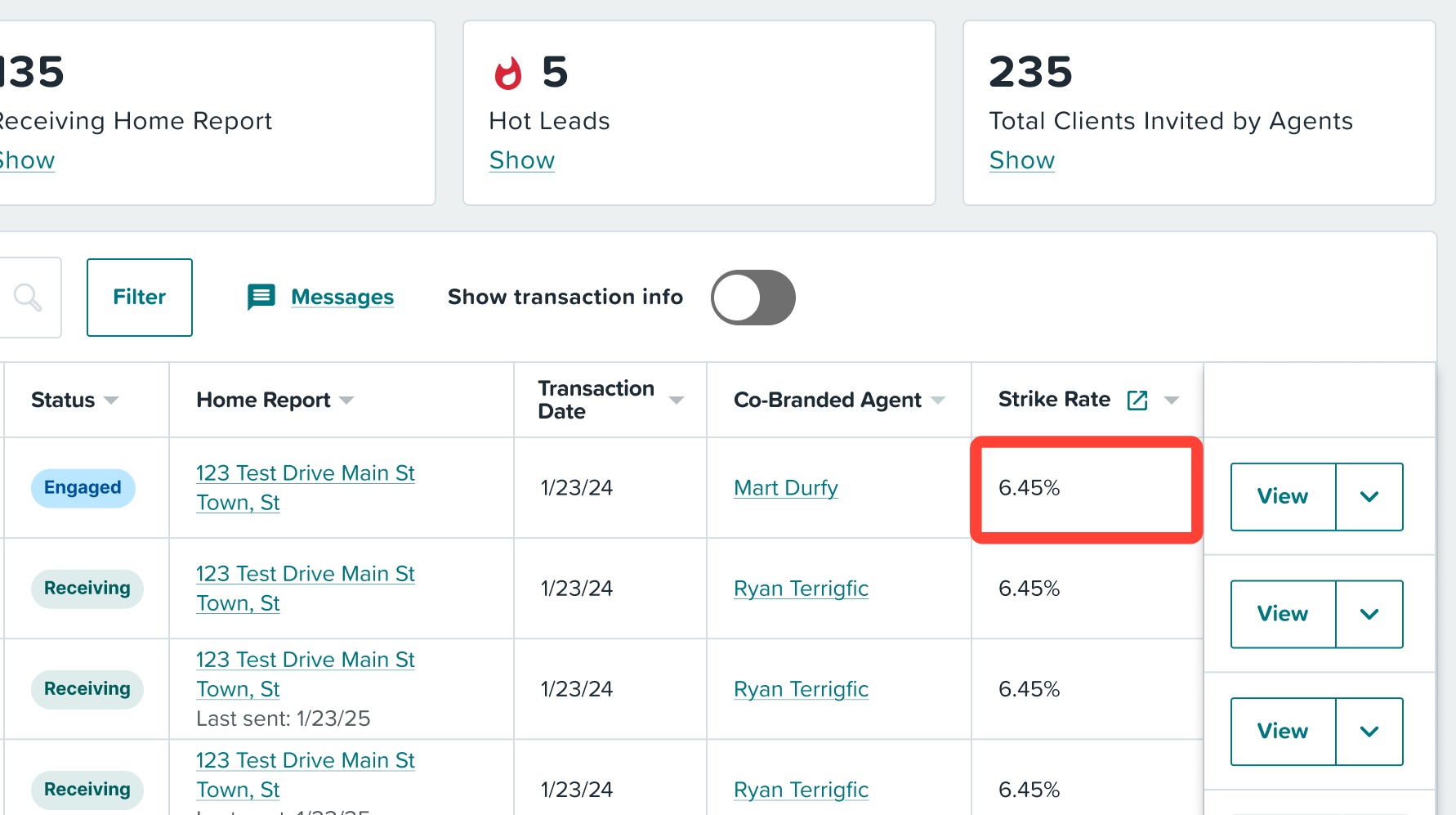
Setting General Strike Rate Targets
Your client’s Strike Rate is calculated using their estimated or actual interest rate and your Strike Rate targets in MBS Highway. Those targets control when Home Report provides key messages and alerts, including notifications encouraging clients to contact you about possible refinance savings. To update your Strike Rate Targets, see instructions below. For full details on Strike Rate, click here.
1. Login to your MBS Highway account or, if logged into your ListReports account, use the 9-dot matrix at the top right hand corner of the page to switch platforms from Home Repot / ListReports to MBS Highway.
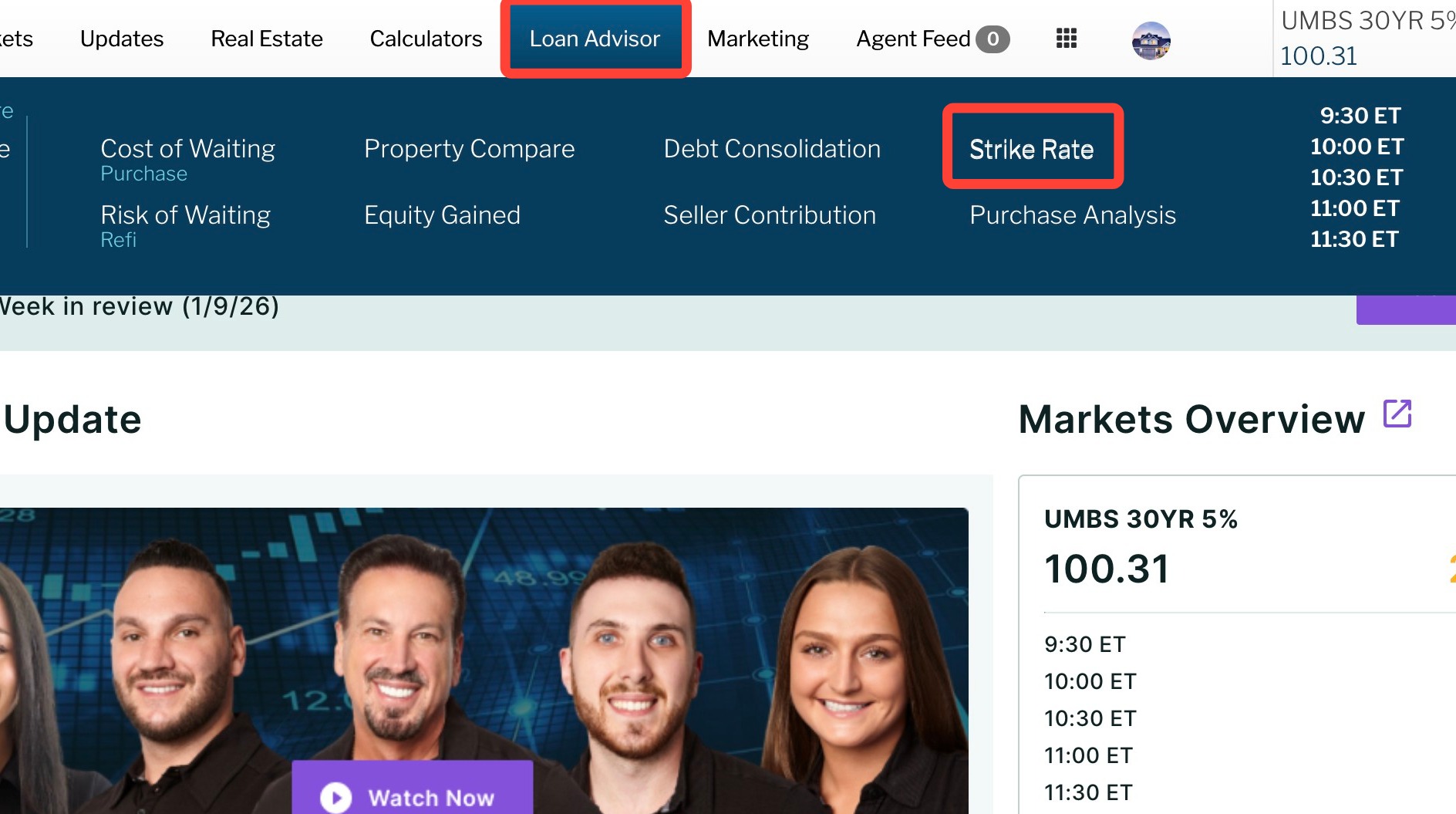
2. Hover your cursor over Loan Advisor and click on Strike Rate.
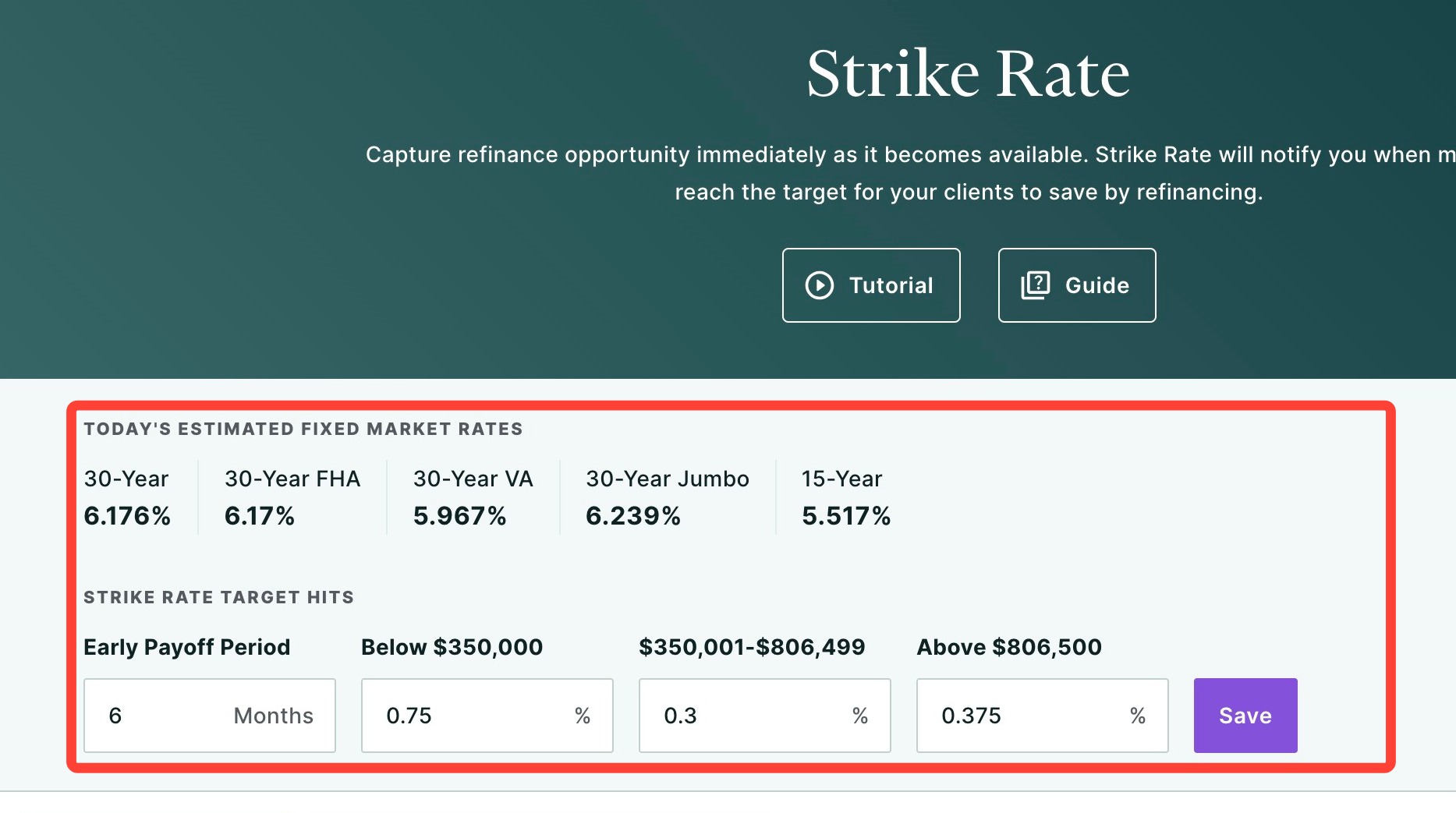
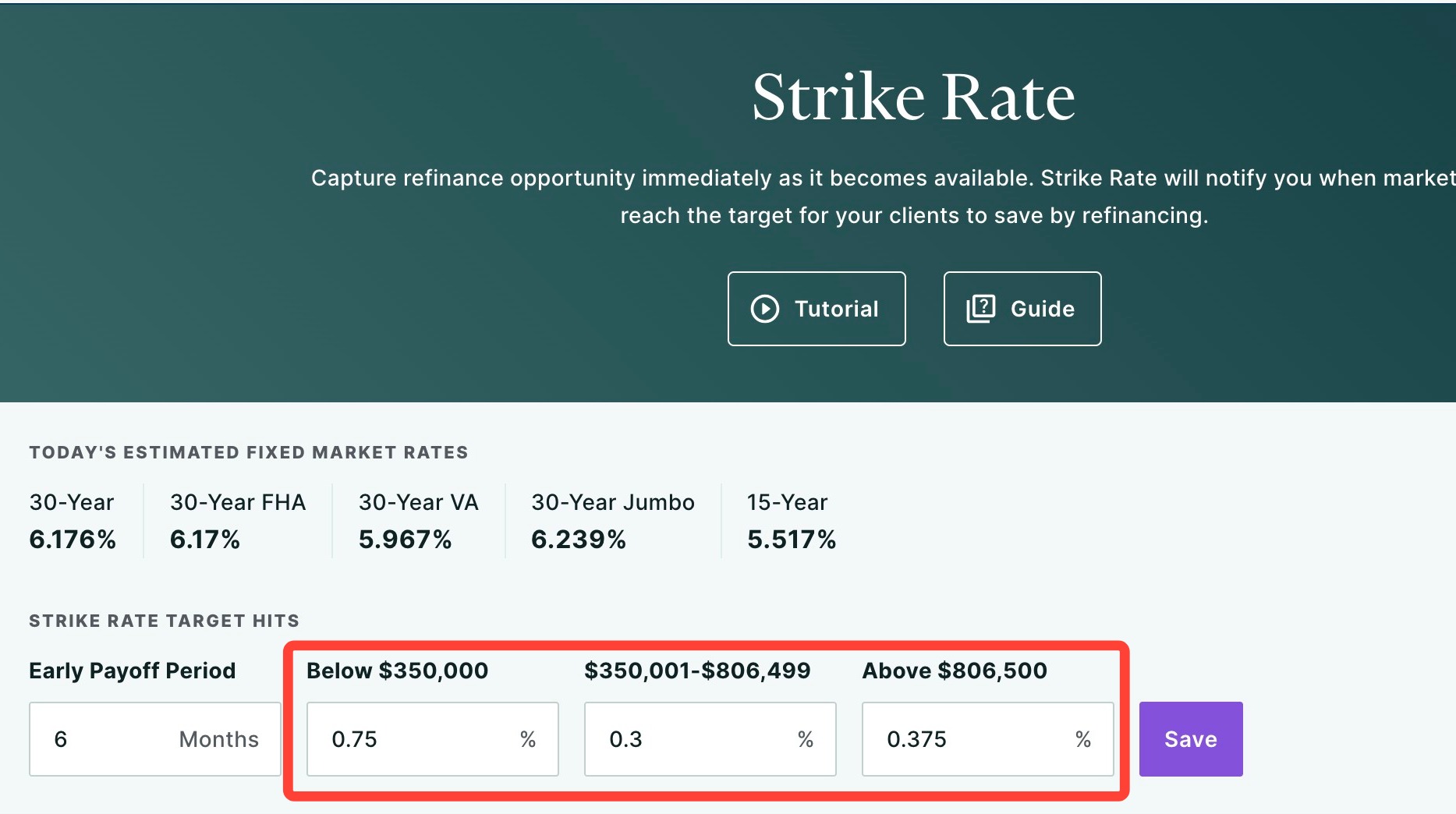
3. At the top of the page, you’ll see today’s estimated fixed market rates, along with your Strike Rate target hits that will determine when we notify you and your clients about possible savings through refinancing.
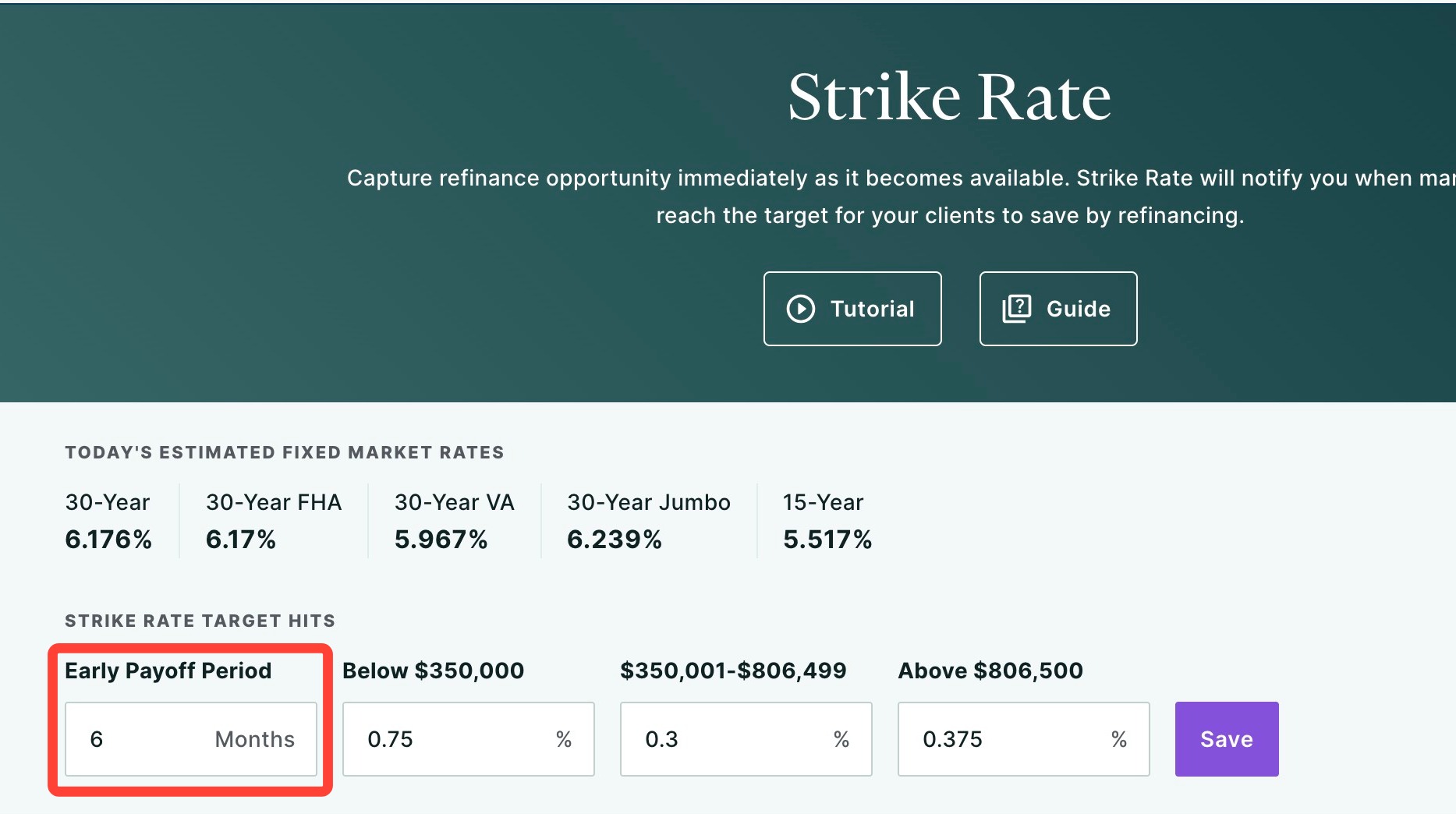
4. Under your Strike Rate Target hits, the first threshold you’ll see is the Early Payoff Period, which is set to 6 months by default, but can be changed.
5. Next, you’ll see three Strike Rate targets based on loan amount. We've provided three loan amount ranges because lower loan amounts require a greater rate differential to realize a meaningful refinance opportunity than higher loan amounts.
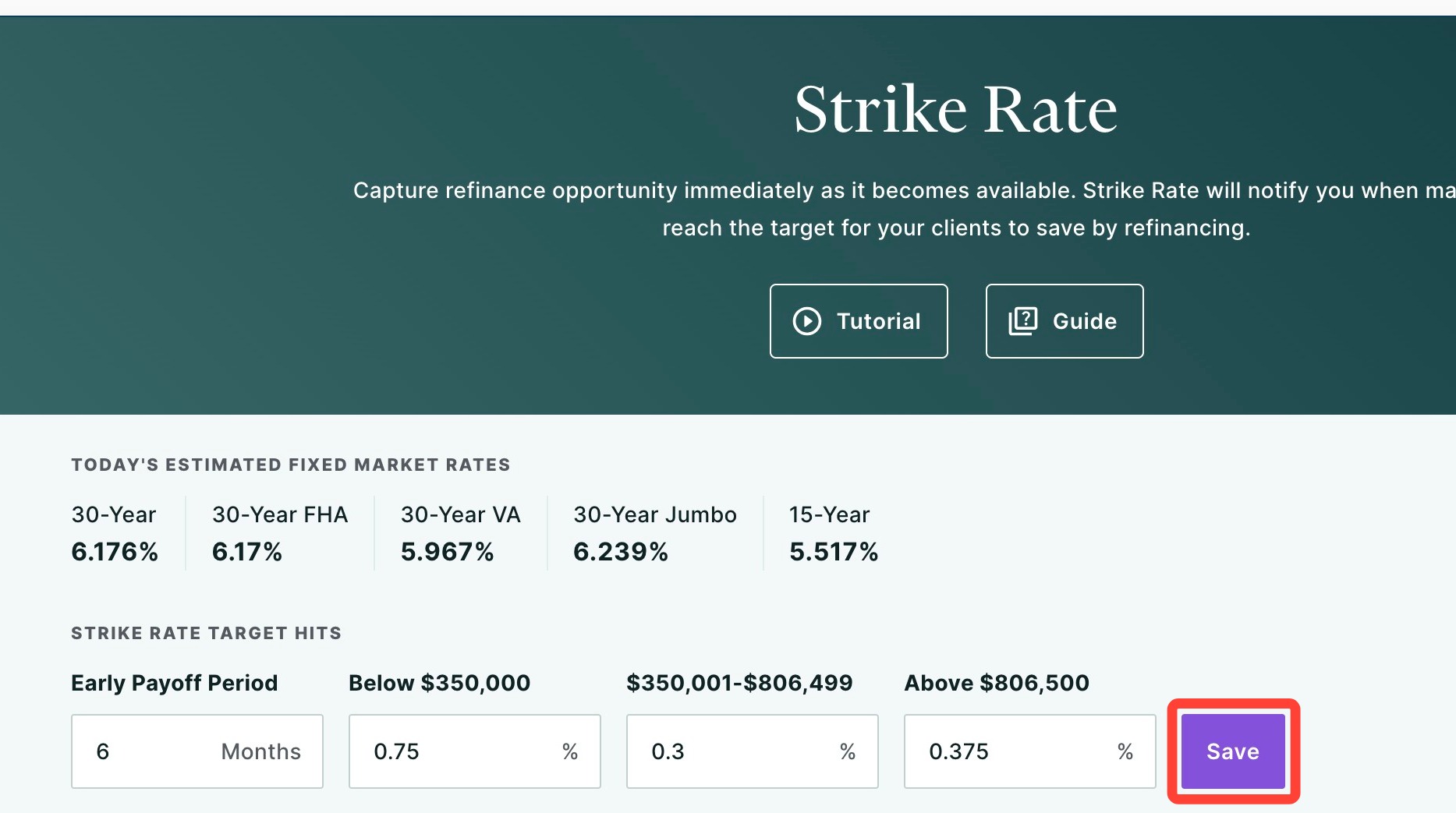
6. Click Save. You’ll receive an email alert when a client meets these criteria. The client’s refinance module will also update to reflect how close they are to their Strike Rate target or when the target has been hit. If the client has opted into alerts, they’ll be notified as well.
Adding Clients to Strike Rate from Home Report
Because Strike Rate is integrated with Home Report, any client uploaded or invited to Home Report is automatically added to your Strike Rate transaction table in MBS Highway. No separate upload is required.
To add a client to Strike Rate using the Home Report integration, simply add the client to Home Report using one of the methods below:
Import clients in bulk (learn how by clicking here)
Add individual clients manually (learn how by clicking here)
Clients who add themselves through a referral or your personalized Home Report invite link
Adding a Strike Rate
You can manually add a Strike Rate directly in Home Report when inviting a client. If you update a client’s Strike Rate in Home Report, that update will automatically sync to Strike Rate in MBS Highway. To learn how to update a client’s Strike Rate directly in MBS Highway, click here.
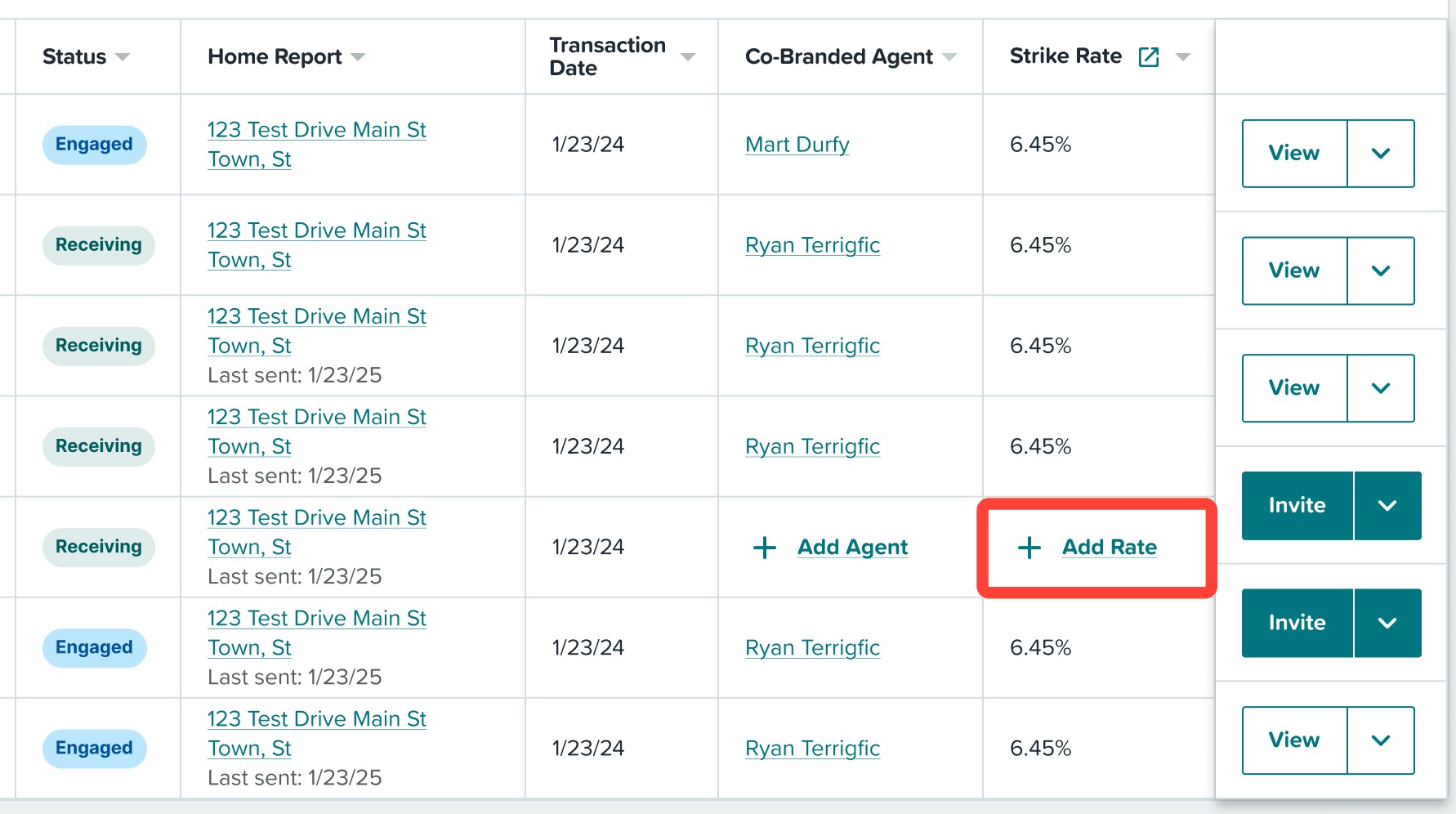
1. If your client is not in our database, you can manually add a Strike Rate by clicking + Add Rate.
2. Enter the interest rate you would like to trigger a Strike Rate alert for your client.
3. If you would like to review today's estimated rates, click View today's estimated rates.
3. Click Save.
Now you and your client will receive updated messaging and alerts based on their new personalized Strike Rate.
Inviting Clients to Home Report through Strike Rate
You can now quickly invite clients to Home Report while in MBS Highway's Strike Rate tool!
1. Login to your MBS Highway account.
2. Hover over Loan Advisor at the top of the page and click Strike Rate.
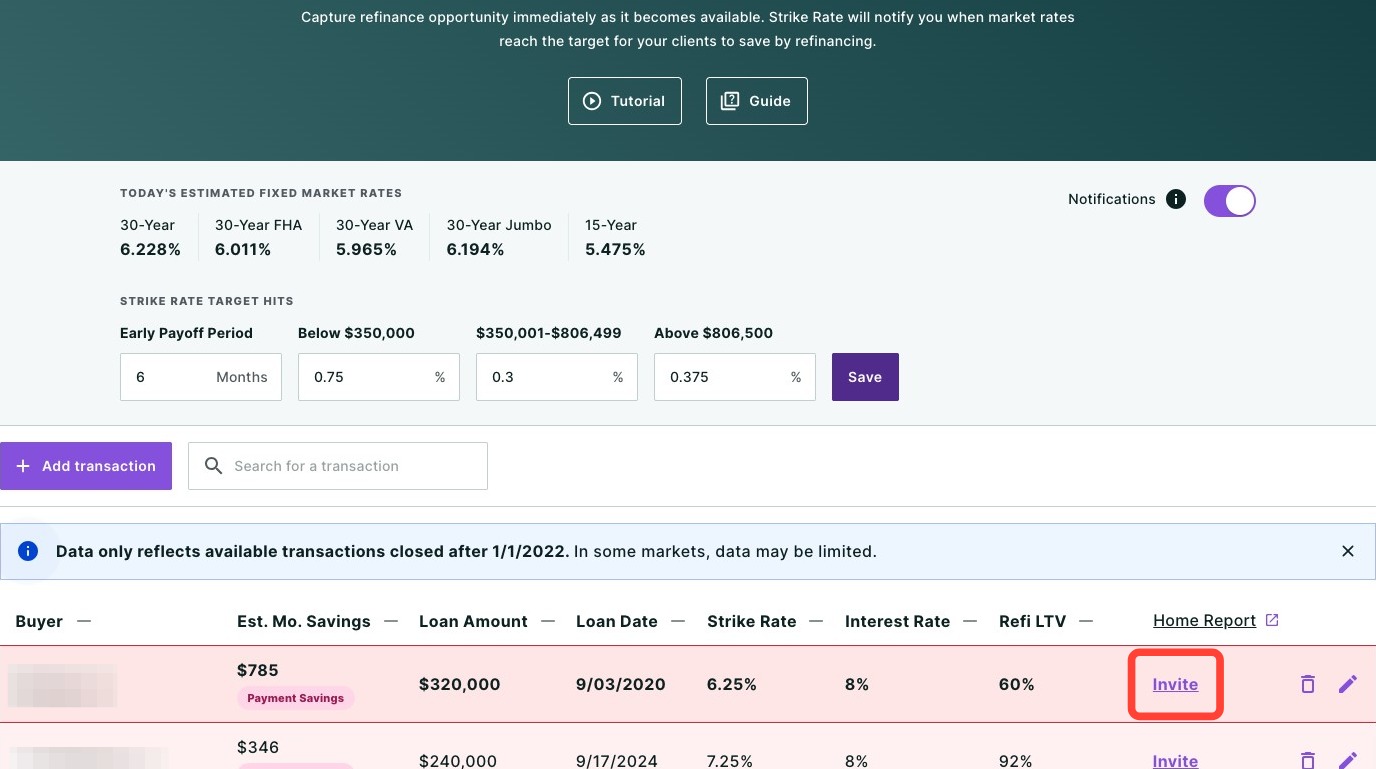
3. Locate your client within the table or by using the search bar. Then click Invite.
4. You will then be brought into your Home Report account where you can add your client's email address and review their loan information.
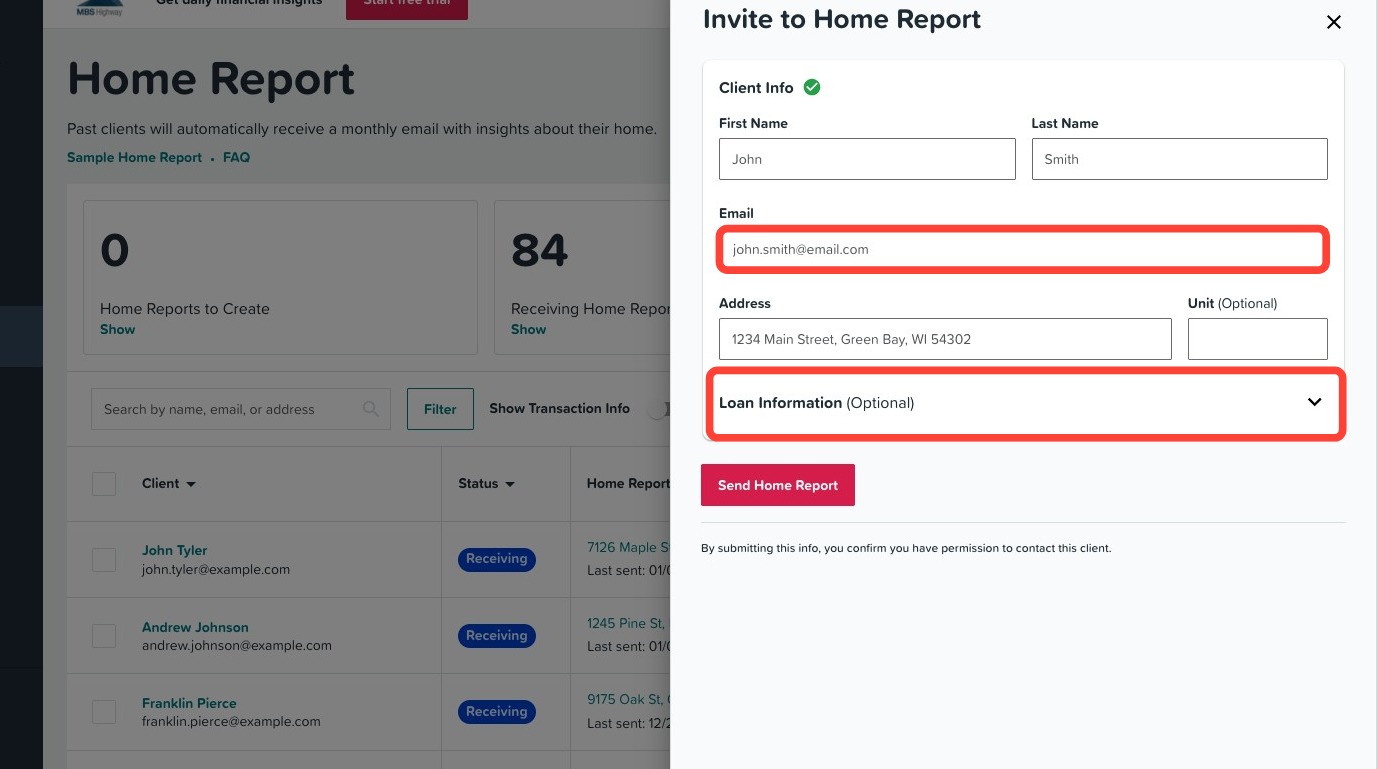
5. Once complete, click Send Home Report. Your client will now begin receiving their Home Report.
Editing your Clients’ Strike Rate During the Invite Process
You can create personalized Strike Rates when inviting your clients to Home Report. To learn how, follow the steps below:
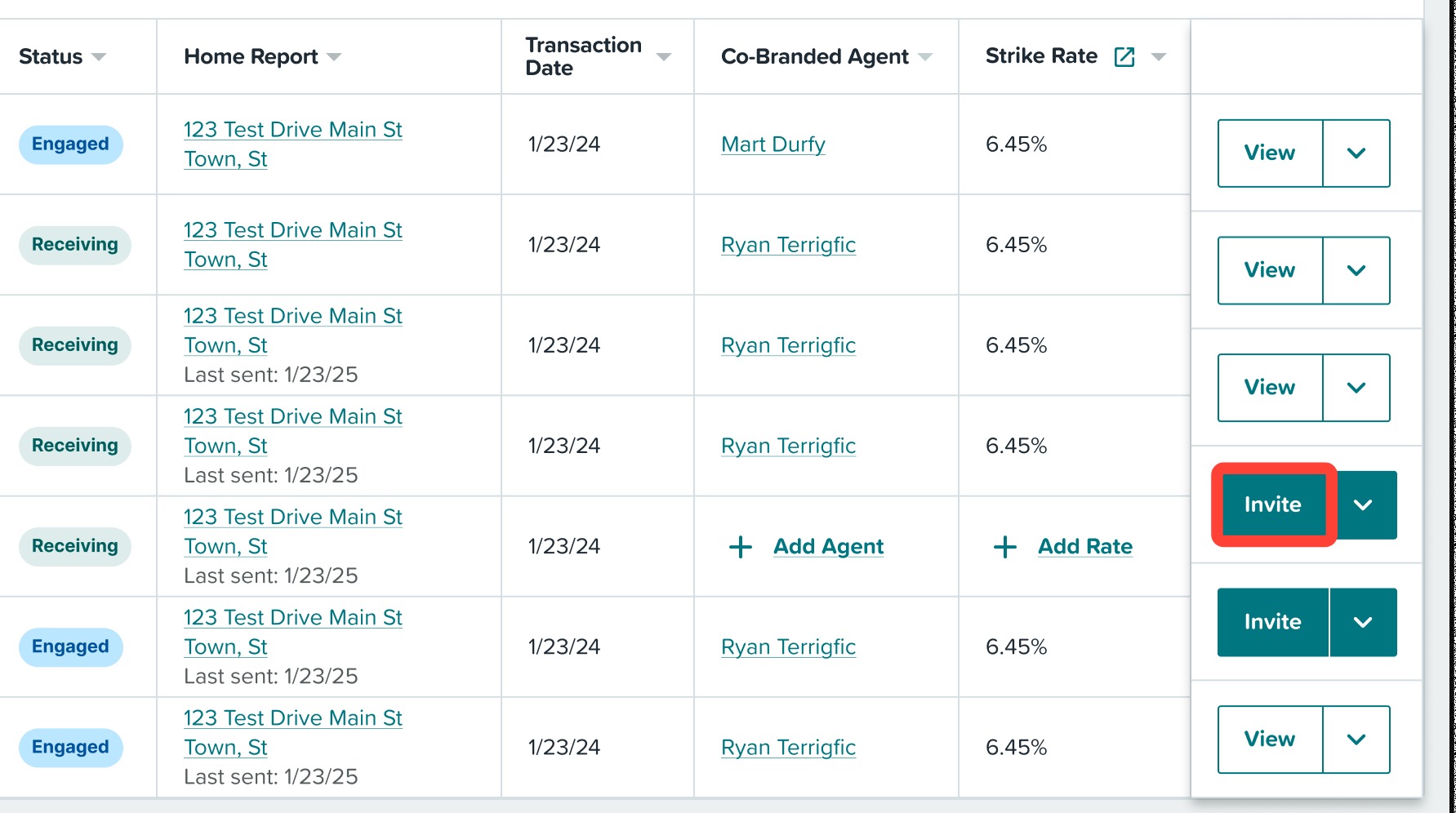
1. To update your client's Strike Rate when inviting them to Home Report, click the Invite button.
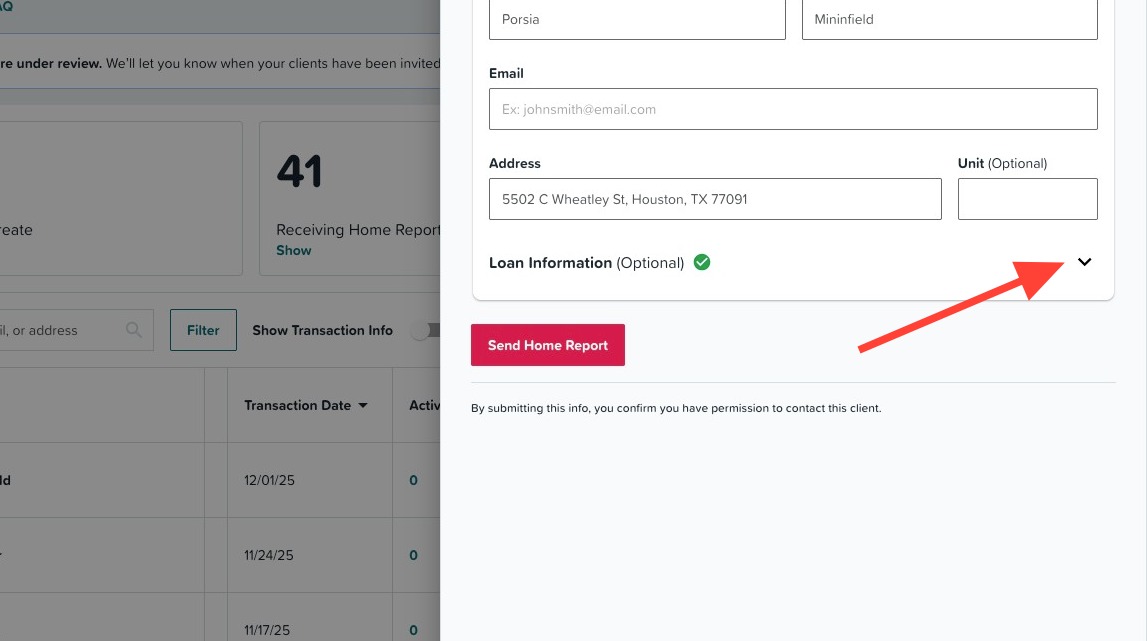
2. Click the Loan Information dropdown.
3. Edit Strike Rate field.
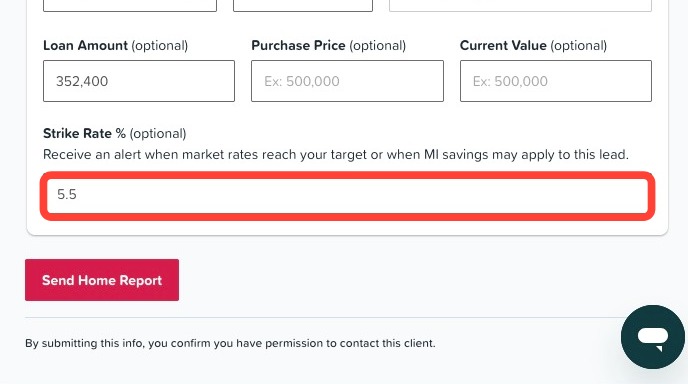
4. Once complete, click Send Home Report. Your client will now begin receiving their Home Report with a personalized Strike Rate.
Have questions or need help? Contact us by clicking here.
Related to