Welcome to your all-in-one guide for mastering MBS Highway and ListReports—two powerful platforms designed to help you build trust with real estate agents, educate your clients, and close more loans with confidence.
Highway Powered Platforms
MBS Highway Gain real-time market insight, rate forecasts, and borrower education tools to establish yourself as the market expert.
ListReports & Home Report Deliver automated marketing that wins repeat business, generates referrals, and attracts new clients, keeping your pipeline full.
Account Setup Checklist
Step 1: Login to your account
Find your credentials for Highway in your email and login to your accounts. If you are having trouble finding them, you can search using the information below (double check your spam folder as well):
Sender Email: support@mail.highway.ai
Email Subject: Final step to activate your account
If you are still having trouble locating your welcome email, contact our team at support@highway.ai to request new credentials. Once logged in, you can navigate between the two platforms by using the grid icon at the top right corner of your account. Watch the video below to see how:
To login in the future:
1. Navigate to www.highway.ai.
2. Click Login in the top right hand corner of the page.

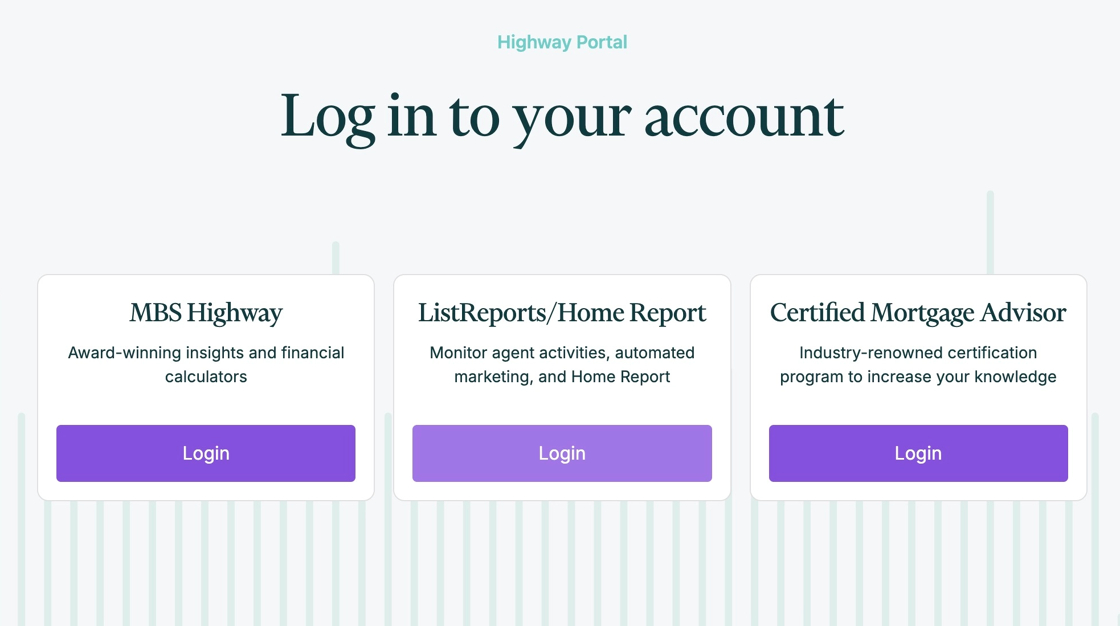
3. Choose which platform you would like to start with.
Please note: Your logins will be the same for all platforms.
Step 2: Setup your branding in MBS Highway and ListReports
MBS Highway
Follow the video below to learn how to setup your MBS Highway header which displays your branding.
ListReports
Next, its time to setup your branding within ListReports. We will already have all your company information* already uploaded.
*To make changes to your company information, please contact our support team at support@listreports.com.
Step 3: Setup voice and text alerts
Make sure you are staying in the loop to ensure you are getting your clients the best rates by setting up voice and text market updates and lock alerts. Watch the short video below to see how or check out this article to learn more.
Step 4: Pair with Agents on ListReports
When an agent pairs with you, they’ll automatically unlock powerful features like QR codes, text-to-lead codes, single property websites, social media assets, and Home Report. These tools help agents win and retain clients—while expanding your reach beyond your own client base.
Check out the video below to see how easy it is to pair and start benefiting today!
Step 5: Add Clients to Home Report
Next, it’s time to add clients to Home Report and co-brand with their agents. We’ve made it easy by pre-loading your transactions—just add your client’s email to send their Home Report.
Once added, your clients will automatically receive two emails a month: one highlighting their home value, and another showcasing their local housing market and active listings.
You’ll get email updates about their activity, and any client replies will come to you directly through Home Report.
Watch the short video below to learn more or check out our Getting Started with Home Report guide to learn more by clicking here.
Stay Informed Daily
Stay up to date on the market and your agent network—use this information to follow up with purpose.
| Platform | Power Tool | Purpose | How to Use |
|---|---|---|---|
| MBS Highway | Morning Update Video | Daily market commentary from Barry Habib & team | Check your inbox each morning for the Morning Update video to stay sharp and give clients the latest rate advice |
| ListReports | Daily ListReports Email | Provides a summary of your account including agent activity, new marketing kits, and easy to share content | Check your inbox daily for your ListReports to-do list: follow up on Marketing Kits, add clients to Home Report, and share social media assets |
| ListReports | Agent Intel Feed | Find new agents to follow and effortlessly connect with them at key moments | Visit the Agent Intel tab in ListReports and look for Smart Emails to follow up on new closings and open houses. You can also connect with agents via social media! |
Key Power Tools
Use these high-impact tools to demonstrate your value from day one:
| Platform | Tool | When to Use | How To Video |
| MBS Highway | Real Estate Report Card | Great at open houses or with homebuyers interested in local data | Click here to watch |
| MBS Highway | Buy vs Rent | Use with first-time buyers or renters to show the cost of homeownership | Click here to watch |
| MBS Highway | Bid Over Asking Price | Use during active negotiations to demonstrate long-term cost differences | Click here to watch |
| ListReports | Marketing Kits | Check in and offer support or edits for paired agents’ auto-generated Marketing Kits or use to prospect new agents | Click here to watch |
| ListReports | Talking Points | Share every Friday to your network via LinkedIn or Facebook; also great for co-hosting open houses | Click here to watch |
Resources and Guides
Explore our resources and strategy guides below to dive deeper and make the most of your Highway accounts.
| Resource Name | Description | Link |
| Tips and Tricks for ListReports | Provides strategies for loan officers to effectively use ListReports to engage with real estate agents and build relationships | Click here |
| Success Strategies for Loan Officers | Strategies for prospecting new agents, strengthening existing referral relationships, building a strong social media brand, and nurturing past clients | Click here |
| ListReports Help Center | Bookmark this page! Here you will find everything from help articles to guides, email templates, webinars, and agent marketing | Click here |
| MBS Highway Help Center | Provides step-by-step guides on how to use each tool within the MBS Highway suite | Click here |
| Marketing and Agent Education Tools | Get help sharing the benefits of ListReports to agents using our helpful flyers, short videos, slideshow presentations and more | Click here |
Need Help?
Have questions or need help? Reach out to us by clicking here.