This article is for loan officers who have both Miles and Agent Intel. The Open House Alert Automation helps you turn open house activity into new agent relationships without any extra work. When you receive an Open House alert in Agent Intel for an agent who has closed a transaction with you but does not yet use Highway, we automatically send that agent a branded email inviting them to sign up and pair with you. This article explains when the automation runs, where you can see it, and how to turn it on or off.
What is the Open House Alert Automation?
Open House alerts in Agent Intel let you know when an agent you work with is hosting an open house. With this automation, those alerts can now trigger a touchpoint on your behalf, so you stay top of mind with agents you've worked with while growing your share of their business.
When the automation runs, the agent receives an email with your branding that includes a marketing asset and a link to a landing page where they can sign up and pair with you.
When the agent clicks through, they arrive on a landing page where they can sign up and pair with you.
Please note: This automation is available to loan officers who have access to both Agent Intel and Miles. |
When Does the Automation Run?
The automation runs when you receive an Open House alert in Agent Intel and all of the following are true:
- The agent is not a ListReports user. Agents who already have a ListReports account will not receive this email.
- You have at least one shared transaction with the agent.
- The Open House automation is turned on for your account. You can change this at any time in your settings (see Turning the Automation On or Off below).
How We Keep Agents from Getting Too Many Emails
To protect your relationships and your agents' inboxes, we apply two safeguards:
- One email per 30 days: An agent will only receive one of these automated emails in any 30 day period.
- Strongest relationship first: If more than one loan officer shares transactions with the same agent, the automation runs for the loan officer with the greatest number of shared transactions with that agent.
Seeing Your Automations in Agent Intel
You can find Open House alerts that triggered an automation within your Latest Intel feed in Agent Intel so you can tell at a glance which agents were contacted on your behalf.
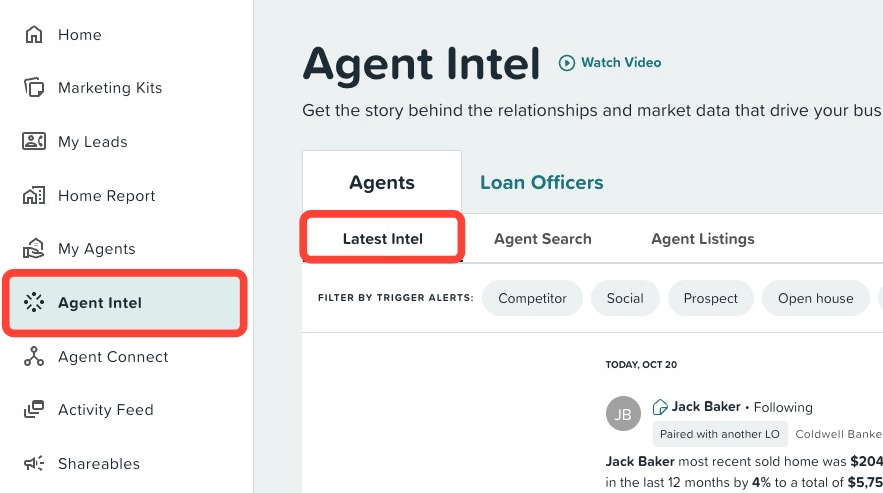
Once in your feed, you can filter by Open House within the Trigger Alerts filters or browse the feed.
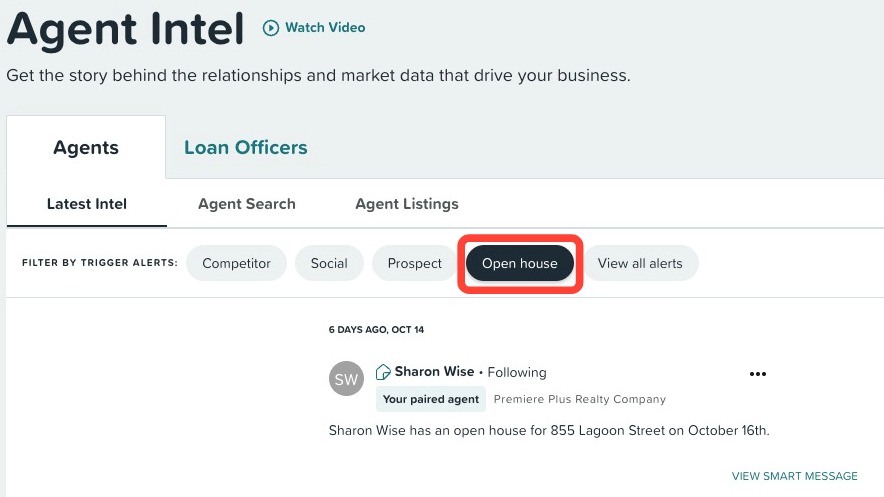
Below is an example of a Open House alert that triggered an automated email:
You can also preview the exact email and marketing asset that was sent by clicking View email within the alert.
Tracking Automations in Your Activity Feed
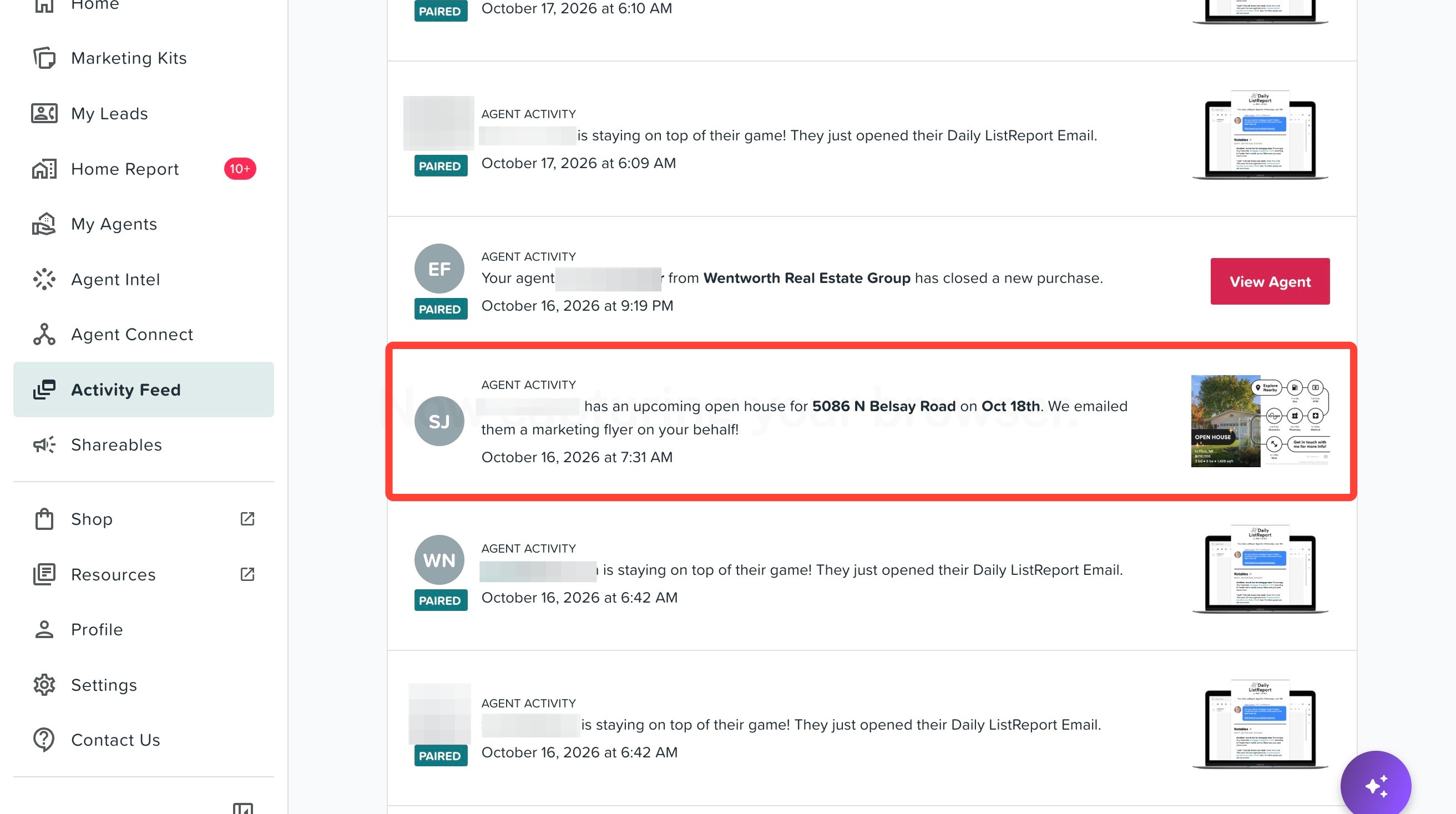
Every time the automation sends an email, an event is added to your Activity Feed. This gives you a running record of the touch points sent on your behalf, so you always know which agents have been contacted.
Turning the Automation On or Off
You are always in control of whether this automation sends emails for you. To turn it on or off:
- Click Settings in the portal.
- Click the Automation tab.
- Find the Open House automation and use the toggle switch to turn it on or off.
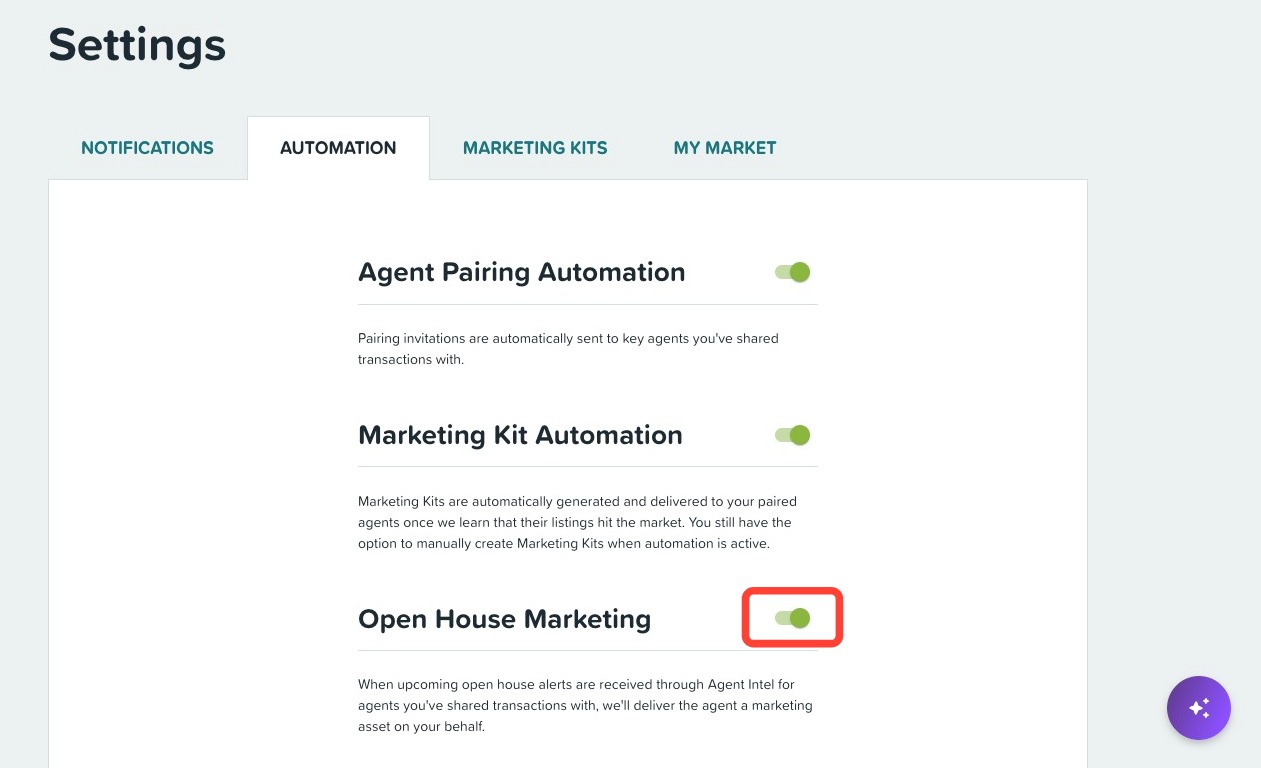
When the toggle is off, no automated Open House emails will be sent on your behalf. You will still receive Open House alerts in Agent Intel as usual.
Need Help?
Have more questions or want to learn more? Click here to submit a support ticket.