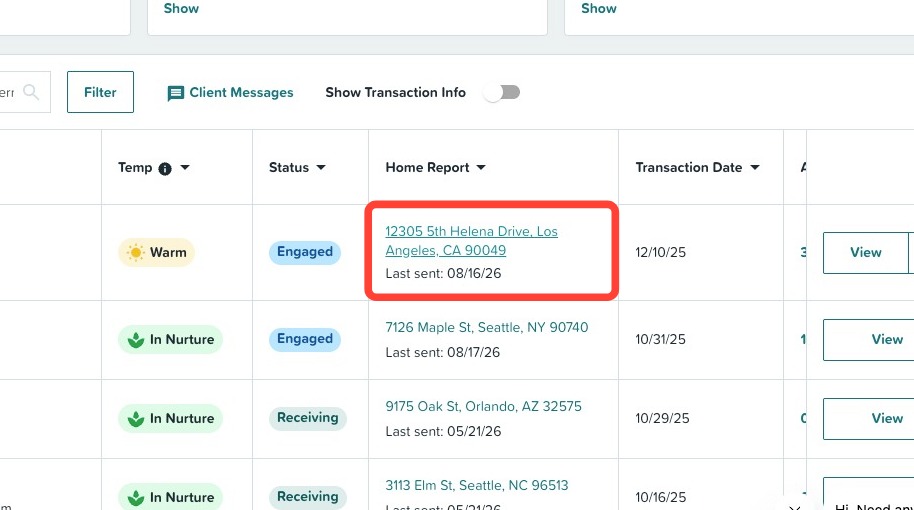
Once your client is added to Home Report, you will be able to preview their Home Report. To see how, follow the steps below:
- To preview a client's Home Report, first login to your ListReports account.
- Click Home Report in the left-hand navigation menu.
- For homeowners, you can click your client's hyperlinked address under the Home Report column. For homebuyers, click View Report under the Home Report column.