When creating or editing a Marketing Kit, you can include up to two open house dates and times. This information will automatically appear on your open house flyers, single property websites, and postcards.
Adding Open House Dates to New Marketing Kits
Use this method when creating a new marketing kit from scratch.
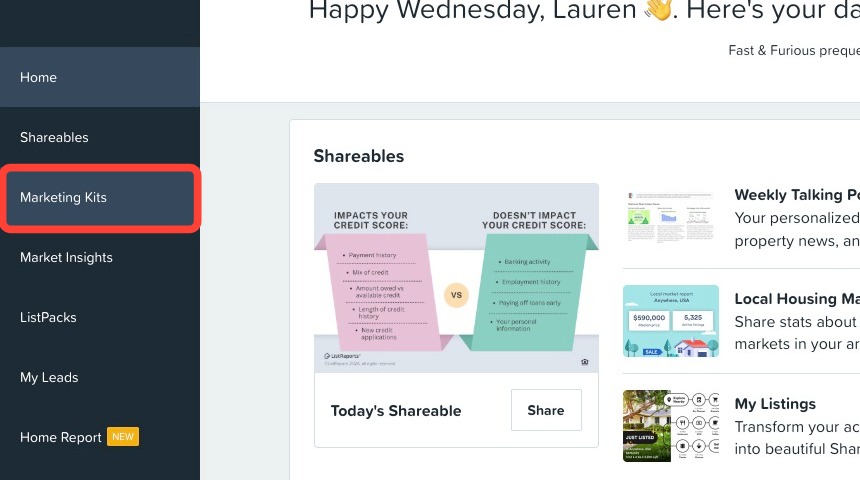
1. Click the Marketing Kits tab in the left-hand navigation menu.
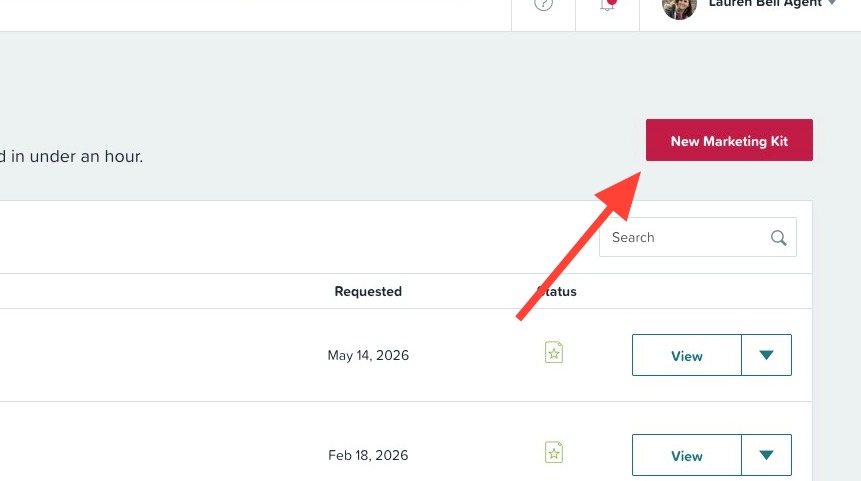
2. Click New Marketing Kit.
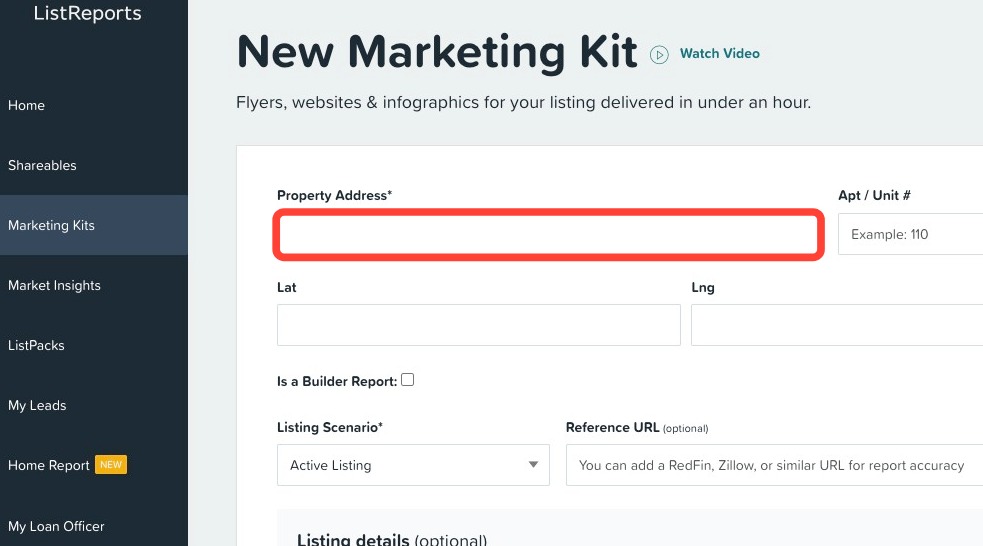
3. Type your listing's address and select it from the drop-down.
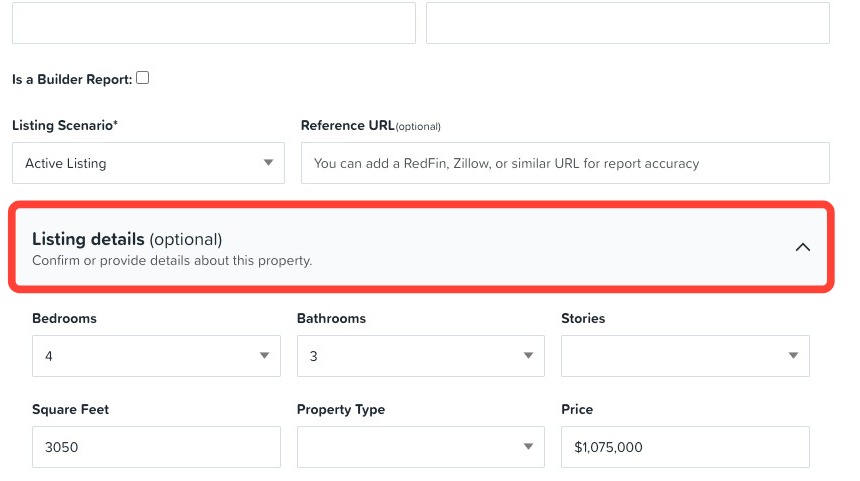
4. Scroll to the Listing details section.
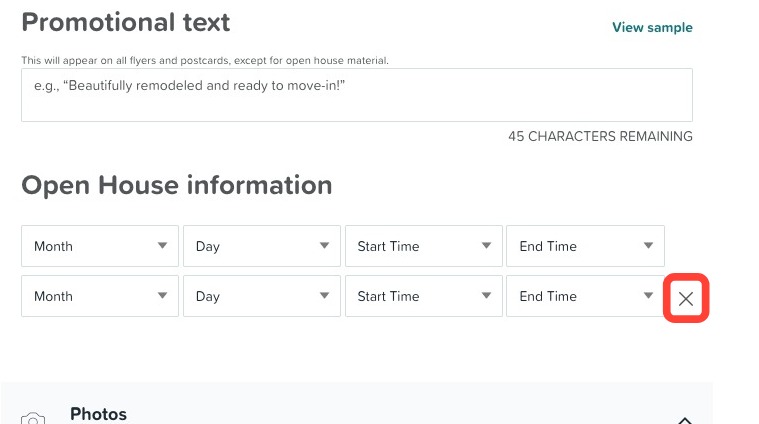
5. Under Open House Information, use the dropdowns to select a Month, Day, Start Time, and End Time.
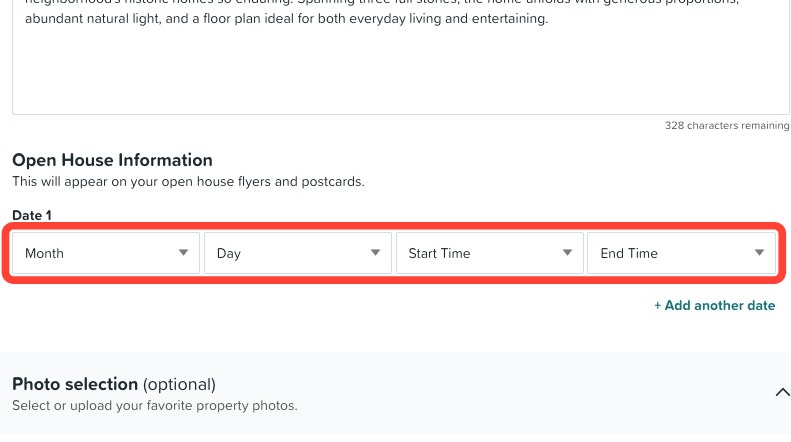
6. (Optional) Click + Add another date to add a second open house date.
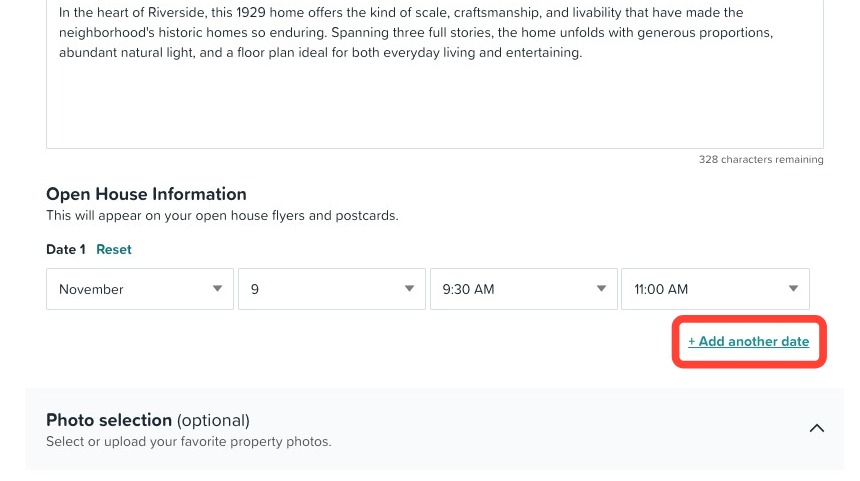
7. Finish reviewing your marketing kit and click Submit.
Editing a Marketing Kit to Add or Update Open House Dates
Use this method if you’ve already submitted a Marketing Kit and need to add or change open house dates.
1. Click the Marketing Kits tab in the left-hand navigation menu.
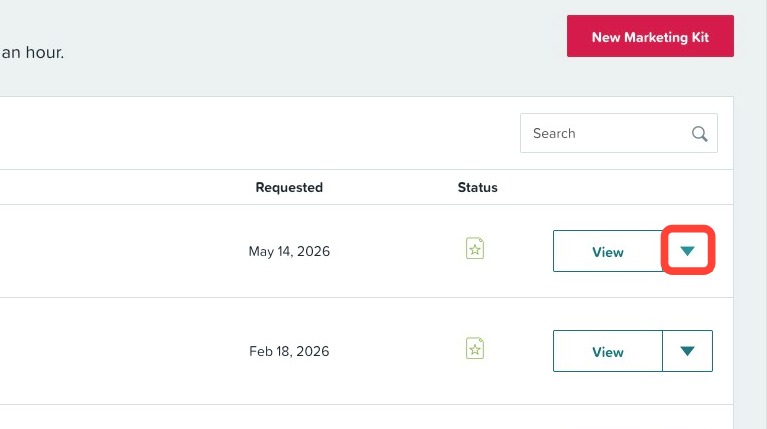
2. Click the down-arrow on the listing you would like to update.
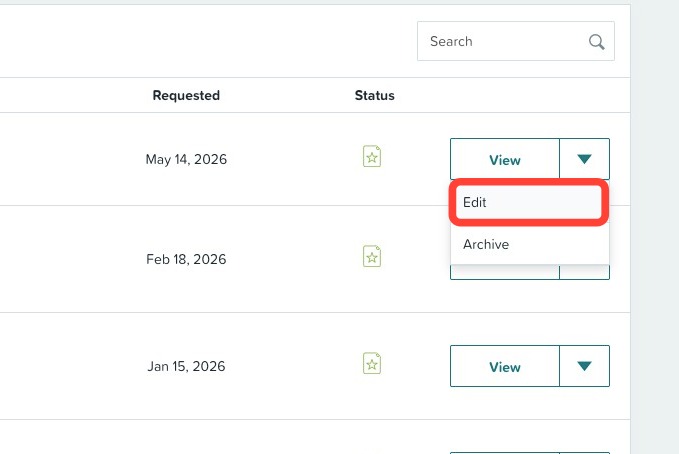
3. Click Edit.
4. Click the Listing details section.
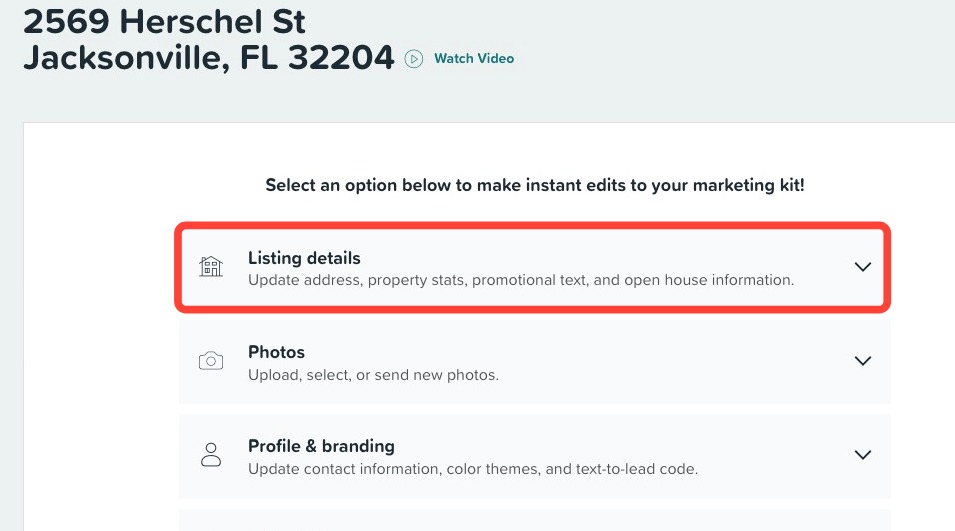
5. Under Open House Information, use the drop-downs to select a Month, Day, Start Time, and End Time.
6. (Optional) Click + Add another date to add a second open house date. To remove the second date/time click the 'X'.
7. Click Update marketing kit to save your changes.
Still need help or have questions? Submit a ticket here.