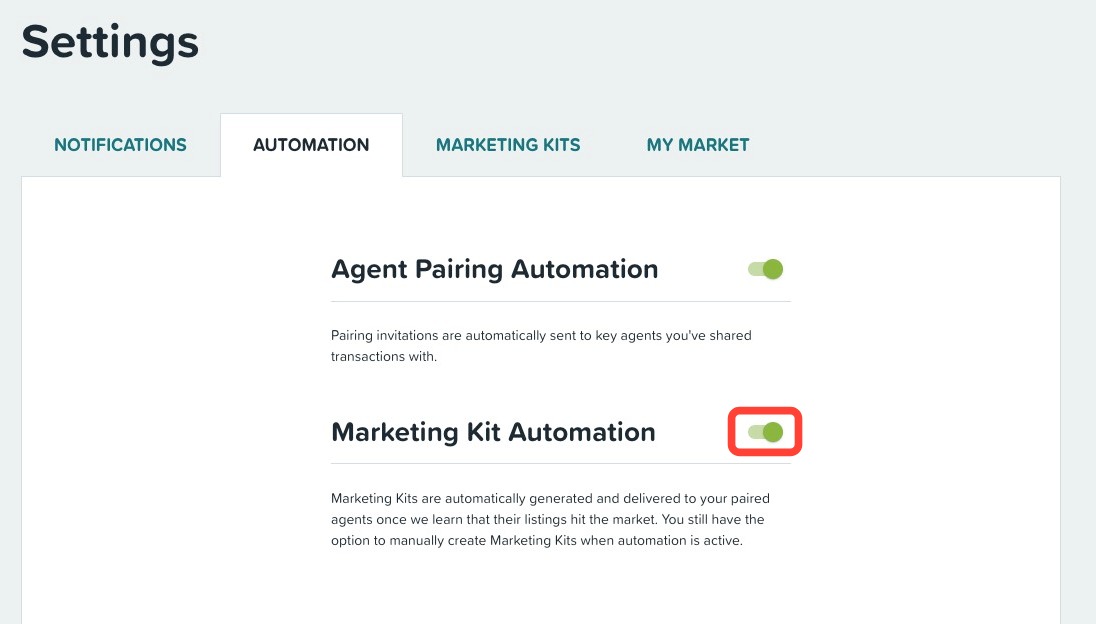
Loan officers have the ability to activate AutoPilot. By activating AutoPilot, whenever a new listing is found for an agent, ListReports® automatically generates the marketing materials for both the loan officer and the agent in our system.
As a loan officer, activate AutoPilot by following these steps:
Click on the Settings tab in the left-hand navigation menu.
Click on the Automation tab.
Toggle on the Marketing Kit Automation.
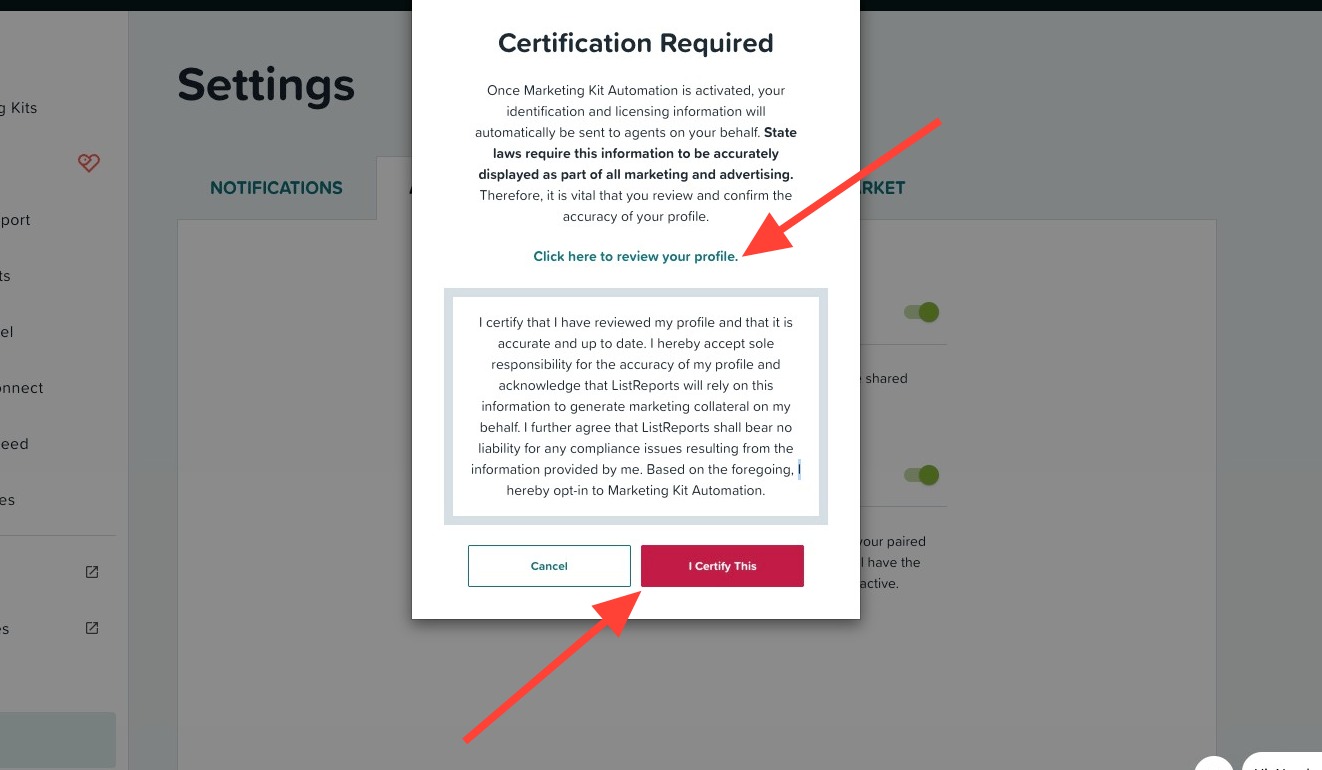
Next, review your branding to ensure it is compliant with state law by clicking Click here to review your profile. Once reviewed, click I Certify This to activate automations.
Helpful tip: Make sure to keep your profile information up to date as marketing kits will now be created automatically with your co-branding.
Agent Not Receiving Their Automated Marketing Kits?
There may be a few reasons why:
Data Source Delay: Our data sources might not have received the syndicated MLS data for the new listing yet. It can take a few hours to a couple of days for the information to be updated.
"Coming Soon" Status: If the listing was initially put on the MLS as "Coming Soon," you will need to create a marketing kit manually. Our system does not recognize "Coming Soon" listings as "new" and will therefore not automatically generate a marketing kit.
Profile Information Mismatch: We use agent profile information to match with syndicated MLS data to generate a marketing kit. If the agent's name, email, phone, company, etc., do not match, the system may not be able to generate a marketing kit for the new listing. Agents can update their profile information or loan officers can email support@listreports.com and cc their agent requesting permission to update their account.
Need Help?
Still need help or have questions? Submit a ticket here.