This article guides loan officers on sharing marketing Shareables on Facebook, Instagram, LinkedIn, and Stories. It covers step-by-step instructions for posting, adding branding, copying captions, and troubleshooting Facebook login issues. Special daily Shareables optimized for Instagram and Facebook Stories are also explained, including how to download and post them. Compliance tips for including necessary business and licensing information are emphasized.
This article was written for the loan officer experience. To view the agent experience, click here.
Sharing on Facebook
To share a Shareable on Facebook, follow the steps below:
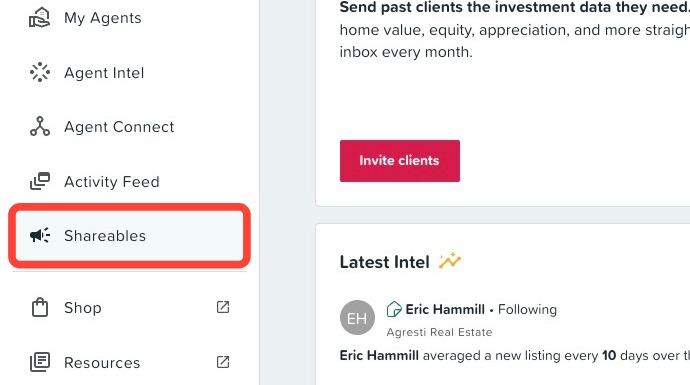
- Click on the Shareables tab in the left hand navigation menu.
- Select a Shareable to share on Facebook.
- Add your branding* (optional).
-
Copy the suggested caption (optional).
- Helpful Tip: Because social media posts are considered advertising, make sure you are complying with applicable regulations and social media policies. We suggest that you include details about your business, including your name, license number, the name of your firm, and all other information that may be required for compliance.
- Click on the Facebook Share button under step four, Take an action!
- Select business page or personal profile.
- Paste the caption in the post.
- Click Post to Facebook.
Troubleshooting: "User opted out of platform"
Whether you are looking to post our Shareables on your Facebook personal page or your Facebook business page, we got you covered.
Troubleshooting Tip: If you see the message "User opted out of platform" when trying to post using the Facebook button, it usually means you're not logged into the correct Facebook account.
To resolve this, open Facebook in a new tab and make sure you're logged into the account associated with the page you want to post from.
To learn more, go to Posting to your Facebook Business Page.
Sharing on Instagram
To share on Instagram, first navigate to the Shareable you would like to share:
- Click on the Shareables tab in the left hand navigation menu.
- Select a Shareable to post Instagram.
- Add your branding* (optional).
-
Copy the suggested caption (optional).
- Helpful Tip: Because social media posts are considered advertising, make sure you are complying with applicable regulations and social media policies. We suggest that you include details about your business, including your name, license number, the name of your firm, all other information that may be required for compliance, as well as the appropriate Equal Housing Opportunity logo.
- Click the Download button under Take an action!
Next, post it on Instagram:
- Open the Instagram app
- Click on the + icon. You can find this in the top right-hand corner of the instagram mobile application.
- Select the shareable image from your downloads or photo library.
- Pro tip: Make sure to adjust the size of the image by pinching it or adjusting the ratios so the full image is visible.
- Click Next twice
-
Paste the recommended caption from the shareable landing page, or write your own
- Pro tip: Don’t forget your #hashtags – they make your post more searchable.
- Optional: Click the toggle next to Facebook to automatically share the same image and caption on those platforms as well
- Click Share.
Done! Your photo should upload and post within a few seconds.
Sharing on LinkedIn
First, navigate to the Shareable you would like to post on LinkedIn.
- Click on the Shareables tab in the left hand navigation menu.
- Select a Shareable you would like post on LinkedIn.
- Add your branding* (optional).
-
Copy the suggested caption (optional).
- Helpful Tip: Because social media posts are considered advertising, make sure you are complying with applicable regulations and social media policies. We suggest that you include details about your business, including your name, license number, the name of your firm, all other information that may be required for compliance, as well as the appropriate Equal Housing Opportunity logo.
- Click on Share under Take an Action!
- Click the LinkedIn Share button.
- Click Share in a Post.
- Paste the caption or add your own.
- Click Post.
Done! Your photo should upload and post within a few seconds.
Posting to Instagram or Facebook Stories
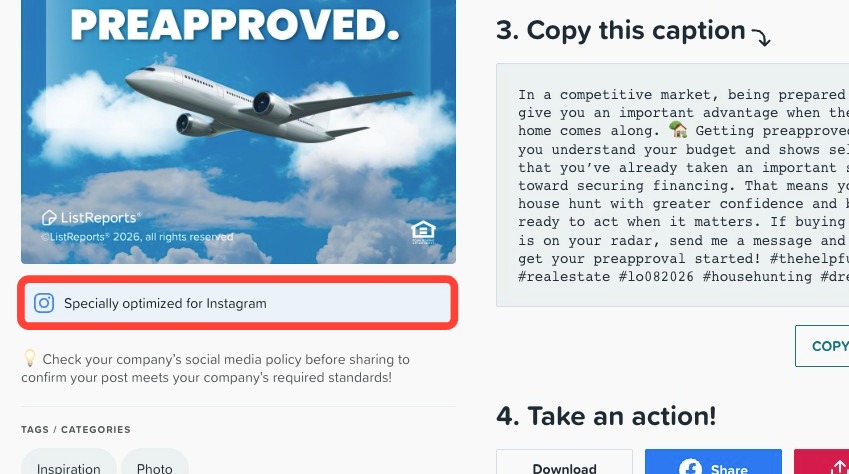
ListReports offers special daily Shareables on Tuesdays and Thursday that are optimized for Instagram and Facebook Stories. To share on Instagram or Facebook Stories, follow the steps below:
- Click on the Shareables tab in the left-hand navigation menu.
- Select a Specially optimized for Instagram Daily Shareable.
- Add your branding (optional).
- Copy the suggested caption (optional).
- Click the Download button under Take an action!
Next, post it on Instagram:
- Open the Instagram app
- Click on the + icon.
- Click Story.
- Select the Shareable image from your downloads or photo library.
- Click Your Story to post
To post on facebook Stories:
- Open the Facebook app.
- Click on the + icon or Create Story.
- Select the Shareable image from your downloads or photo library.
- Click Share to post.
Related to